

| What this guide covers 1. WMS ERP integration in one minute 2. What the top-ranking guides leave out 3. The five steps to integrate WMS and ERP 4. WMS ERP API integration patterns: API, EDI, middleware 5. Integrating with SAP, Oracle, and custom ERP 6. The data map: what syncs and which way 7. A practical integration build path 8. What WMS ERP integration costs 9. ERP and WMS: modules and types 10. Hiring the team to build it |
As the Head of Business and Engineering at Acquaint Softtech, I have led enough WMS ERP integration work to know that the failure mode is never the happy path, which is why our software product development team locks the data contracts before touching either system.
Integration is a data-discipline problem before it is a code problem. The National Institute of Standards and Technology describes electronic data interchange as the computer-to-computer transmission of strictly formatted messages, and that word strictly is the whole game: mismatched SKUs, units, or statuses are what break a WMS-to-ERP link, not the network.
This article is the integration chapter of our broader guide to logistics and supply chain software development, and it stays build-focused: the patterns, the SAP and Oracle specifics, the exact data that flows each way, what it costs, and who you need.
The top-ranking pages on this topic explain why integration is good and stop there. This guide is the opposite: by the end you can choose a pattern, scope the connectors, and brief a team with confidence.
WMS ERP integration in one minute
How does WMS connect to ERP?
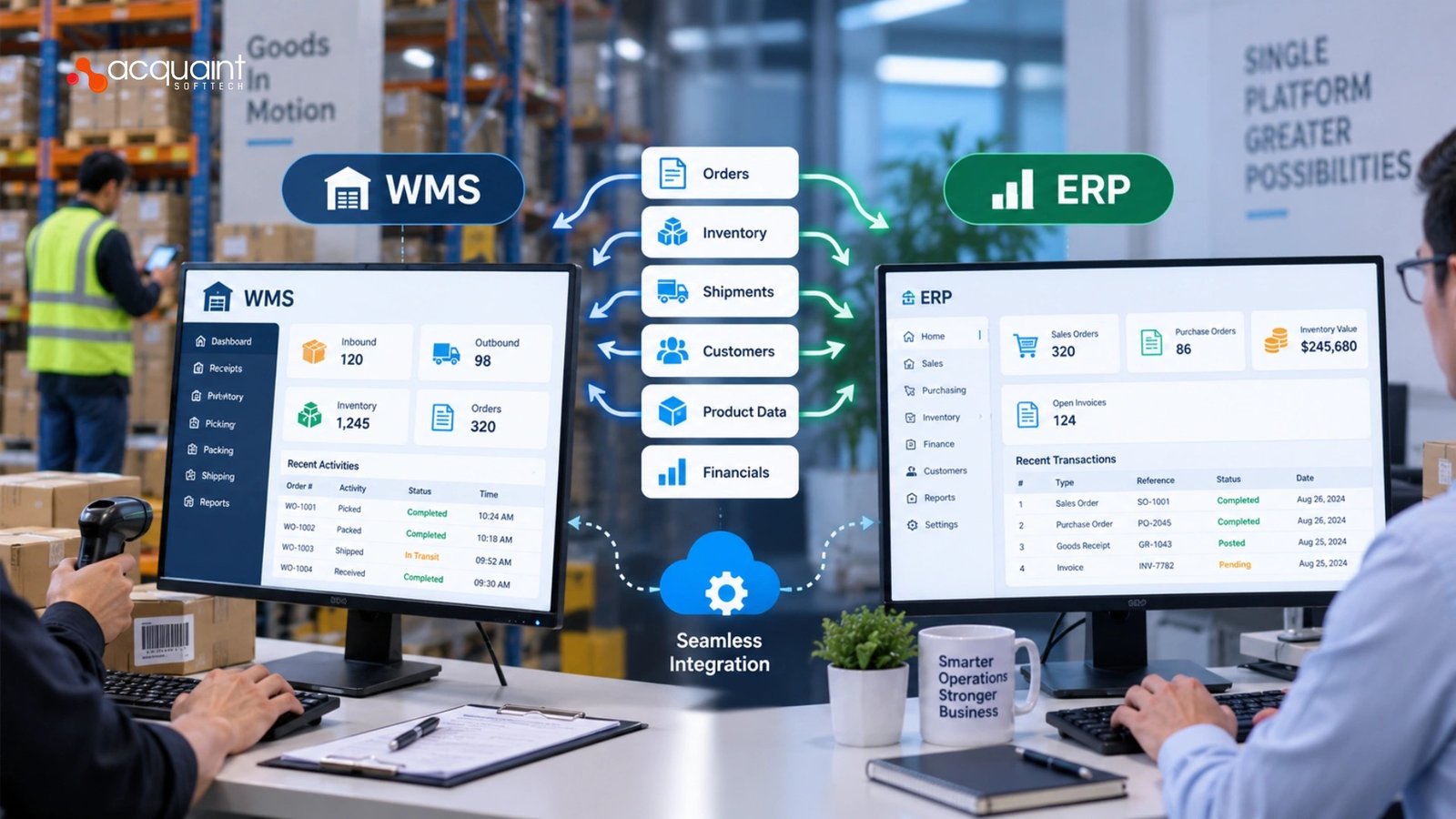
A WMS connects to an ERP through a defined interface, usually a set of REST APIs, an EDI channel, or a middleware layer that maps and moves records between the two. The ERP sends down what to do (purchase orders, sales orders, master data) and the WMS sends back what happened (receipts, inventory changes, shipment confirmations), so both systems agree on reality without anyone typing the same fact twice.
Done well, WMS-ERP integration turns two systems into one workflow. The moment goods are received or an order ships on the floor, the ERP knows, finance can invoice, and planners can reorder. That is what it means to connect WMS to ERP rather than run them side by side.
What is the difference between ERP and WMS?
An ERP runs the business (finance, procurement, orders, planning); a WMS runs the warehouse (receiving, putaway, picking, packing, shipping). The ERP is the system of record for money and master data, while the WMS is the system of execution for physical stock. Integration exists precisely because those two responsibilities have to stay in step.
What data flows between WMS and ERP?
The core flows are purchase orders and advance shipping notices down to the WMS, and inventory updates, adjustments, and shipping confirmations back up to the ERP, with shared master data (SKUs, units of measure, locations) underpinning both. Section 6 gives the full field map. Getting warehouse ERP data sync right on these objects is 80 percent of a successful integration.
The five steps to integrate WMS and ERP
You integrate a WMS and an ERP in five steps: define the scope, standardize the data fields, choose the connection method, test in a sandbox, then monitor and maintain. Treat them in order, because skipping the data-standardization step is what causes most go-live failures.
- Define the scope. Identify exactly which fields must sync: purchase orders, inventory updates, shipping statuses, and invoicing details.
- Standardize data fields. Align SKUs, units of measure, and warehouse locations across both systems to prevent processing errors.
- Choose the connection method. Use modern REST APIs, web services, or traditional EDI and XML files to automate data flow between the two platforms.
- Test in a sandbox. Run live sync tests with sample receipts and order picks to confirm each record reflects accurately on both sides.
- Monitor and maintain. Track integration logs and error alerts continuously to catch sync failures before they disrupt operations.
Steps four and five are where most projects underinvest. Our hired DevOps engineers stand up the sandbox, the replay tooling, and the alerting so a failed message is caught in minutes, not at month-end reconciliation.
WMS ERP API integration patterns: API, EDI, middleware
API or EDI for WMS-ERP integration?
Use REST APIs when both systems are modern, and you need real-time updates; use EDI when you must speak to trading partners, 3PLs, or legacy mandates that require it. Most real builds use both: APIs for internal, low-latency sync, and EDI for external partner exchange. The four WMS ERP API integration patterns below cover almost every case.
| Pattern | Best when | Trade-off |
| REST API, real-time | Modern ERP, low latency, internal sync | Both sides must be up; needs retries and idempotency |
| EDI (X12 or EDIFACT) | Trading partners, 3PLs, compliance mandates | Batchy and rigid; schema changes are slow |
| Middleware or iPaaS | Many systems, heavy mapping, orchestration | Added platform cost and an owner to run it |
| File or batch (CSV, XML) | Low volume, older ERP with no API | Not real-time; needs reconciliation jobs |
The connector itself is a backend job, and it is where our hired Laravel developers spend most of their time building the mapping, queueing, and retry logic that keeps messages exactly-once. Acquaint Softtech builds these as an Official Laravel Partner with more than 70 in-house engineers.
When do you need middleware for WMS ERP sync?
You need middleware for WMS ERP sync once more than two systems must share data, or when mapping, transformation, and retries outgrow a point-to-point connector. Middleware centralises the rules so one change does not ripple across five integrations. For teams weighing that architectural call, our Virtual CTO services set the pattern before code is written.
Integrating with SAP, Oracle, and custom ERP
How to integrate WMS with SAP
WMS SAP integration typically uses SAP’s own interfaces: IDocs for document-based exchange, BAPIs and RFCs for function calls, and OData or REST services on newer S/4HANA systems. The right choice depends on your SAP version and whether you need real-time calls or document batches. The pattern matters more than the buzzword: map the SAP fields to WMS fields first, then pick the transport.
For heavy SAP and connector scripting, our hire Python developers build the middleware adapters that translate IDoc and BAPI payloads into clean WMS calls and back. Businesses that hire developers for SAP WMS connector work usually start with a single IDoc flow and expand once it proves stable.
WMS Oracle ERP connector and custom ERP
A WMS Oracle ERP connector usually rides on Oracle Integration Cloud or REST and SOAP web services for Oracle Fusion and NetSuite, exchanging orders, items, and inventory transactions. For a custom or in-house ERP, you own both ends, which is simpler in one sense (no vendor schema to obey) and harder in another (you must define the contract yourself).
When the ERP is bespoke, the backend team owns the whole contract, and our hired Django developers build the ERP-side API that the WMS talks to. This is where a custom WMS ERP integration India delivery model keeps enterprise quality at a lower build cost.
The data map: what syncs, and which way
Most integration risk lives in a handful of objects and their direction of travel. The map below is the backbone of any WMS-ERP build; get the direction and the owner right for each object and the rest follows.
| Data object | Direction | Why it flows |
| Master data: SKUs, UoM, locations | ERP to WMS | One shared vocabulary so records match |
| Purchase orders and ASNs | ERP to WMS | Tell the floor what to expect and receive |
| Sales and outbound orders | ERP to WMS | Trigger pick, pack, and ship |
| Inventory updates and adjustments | WMS to ERP | Keep financial stock counts accurate |
| Shipping confirmations and status | WMS to ERP | Close orders and trigger invoicing |
Reordering and status updates should fire automatically off these flows, not by hand. Our hire automation engineers wire the triggers so a receipt or a shipment updates the ERP the instant it happens.
A practical integration build path
Build the integration in phases so each data flow is proven before the next is added. This is the sequence we use.
- Discovery and field mapping. Agree on the objects, directions, and owners; write the integration spec first.
- Master-data alignment. Reconcile SKUs, units, and locations so both systems share one vocabulary.
- One flow end to end. Ship the first flow, usually inbound receipts, through the chosen pattern.
- Expand and add retries. Add orders, inventory, and shipping, with idempotency and replay built in.
- Sandbox acceptance. Run sample receipts and picks until counts match on both sides.
- Cutover and monitor. Go live on a low-risk flow first, with logging and alerts watching every message.
Keeping a phased integration on schedule needs a single owner, so clients hire project managers to run the cadence. Teams that already have engineers but lack integration specialists add them through IT staff augmentation instead.
What WMS ERP integration costs
A WMS ERP integration cost depends on the number of systems, the pattern, and how clean the master data is, so it is best budgeted per phase. The ranges below are indicative build costs, not licence fees.
| Scope | Indicative build cost | Typical timeline |
| Point-to-point API connector, one system pair | 12,000 to 25,000 USD / 9,500 to 20,000 GBP / 11,000 to 23,000 EUR | 4 to 8 weeks |
| Middleware integration, mapping, retries, multiple flows | 30,000 to 70,000 USD / 24,000 to 56,000 GBP / 28,000 to 65,000 EUR | 2 to 4 months |
| Enterprise SAP or Oracle integration, orchestration, monitoring | 80,000 to 150,000 USD / 64,000 to 120,000 GBP / 74,000 to 138,000 EUR | 4 to 8 months |
The figures above are directional planning ranges from comparable builds; confirm them against your system count, data quality, and partner mandates before you commit.
Region drives much of that number, and a Clutch-verified team like Acquaint Softtech delivers Western-agency quality for less, which is why many teams hire remote developers for the connector work. Others prefer to outsource WMS integration to a single accountable partner.
Our software development outsourcing model lets one team own the integration end to end. Agencies that resell the work under their own brand use our white label software development instead.
ERP and WMS: modules and types
What are the five ERP modules?
The five core ERP modules are finance and accounting, procurement, inventory and materials management, sales and order management, and manufacturing or production. A WMS integrates most tightly with the inventory, procurement, and sales modules, because those are the ones that move stock and money in step with the warehouse floor.
What are the four types of WMS?
The four types of WMS are standalone, ERP-integrated, cloud-based, and supply-chain-module systems. An ERP-integrated WMS lives inside the ERP and needs little external glue, while a standalone or cloud WMS is exactly the case that makes this integration guide necessary.
This link is not cosmetic: the US Bureau of Labor Statistics classifies inventory control and management as a core logistics service of warehousing, so the WMS-to-ERP data path sits on the critical operational path, not the sidelines.
Many integrations are really migrations from an unsupported system, and our version upgrade services move the data and interfaces without losing history. After go-live, the connector needs an owner, which is what our support and maintenance services provide.
Read Also: The Impact of Technology on Remote Work and Collaboration
Hiring the team to build it
An integration needs a specific mix: backend engineers for the connectors, a data lead for the field mapping, DevOps for monitoring, and a project owner. Acquaint Softtech assembles that mix deliberately, which is the fastest way to de-risk a go-live.
Once data is flowing cleanly, the value shows up in dashboards and forecasts. Our hire MERN stack developers build the reporting dashboard on the unified data. Warehouse teams that need a floor app can hire React Native developers for the scan-and-sync mobile layer.
Richer synced data also improves planning, so clients hire AI/ML engineers to forecast demand from the combined ERP and WMS history.
Proof: integrating new data flows into a live enterprise system
The hardest part of any WMS-ERP project is not building the connector; it is adding it to a system people use every day without breaking anything. Here is a real engagement where Acquaint Softtech did exactly that at enterprise scale.
- Client: Ameriabank CJSC, a leading bank in Armenia with assets exceeding one trillion AMD.
- Scope: web development and IT staff augmentation across a live digital ecosystem.
- Engagement: July 2025 to February 2026, 50,000 to 199,999 USD band, Clutch verified.
Ameriabank needed to enhance its transaction-monitoring platform and digital services without disrupting systems that customers depend on daily. That is the same discipline a WMS-ERP integration demands: touch a live enterprise system, add new data flows, and keep it stable. Three decisions carried the project.
- Integrate, do not replace. The team enhanced existing API layers to enable secure, efficient service-to-service communication rather than rebuilding them, so live services could keep running.
- Protect the running system. Every addition was checked to ensure it did not disrupt services already in daily use, which is exactly how you protect an ERP during cutover.
- Fit the existing process. Developers joined the client’s product squads and shipped into real production environments, so integration knowledge stayed in-house.
The result was improved platform responsiveness, fewer performance bottlenecks, and stronger fraud detection, delivered on schedule with quality, schedule, and cost each rated five out of five on Clutch.
As the client’s CEO summarised in a verified review, notable was the team’s “ability to balance performance, security, and usability without overcomplicating the system.”
Reviewer: Artak Hanesyan, CEO, Ameriabank CJSC. Verified on the Acquaint Softtech Clutch profile.
Frequently asked questions
How does WMS connect to ERP?
A WMS connects to an ERP through a defined interface, usually REST APIs, an EDI channel, or a middleware layer that maps records between them. The ERP sends orders and master data down, and the WMS sends receipts, inventory changes, and shipping status back.
What data flows between WMS and ERP?
Purchase orders, sales orders, and master data (SKUs, units, locations) flow from ERP to WMS, while inventory updates, adjustments, and shipping confirmations flow from WMS to ERP. Shared master data underpins every other flow so records match on both sides.
API or EDI for WMS-ERP integration?
Use REST APIs for real-time, internal sync between modern systems, and EDI when you must exchange with trading partners, 3PLs, or legacy mandates. Most builds use both, and add middleware once more than two systems are involved.
How to integrate ERP systems?
Define the scope, standardize the data fields, choose a connection method, test in a sandbox, then monitor and maintain. The order matters, because aligning SKUs, units, and locations first is what prevents most go-live errors.
What’s the difference between ERP and WMS?
An ERP runs the whole business (finance, procurement, orders, planning); a WMS runs the warehouse (receiving, picking, packing, shipping). The ERP is the system of record for money and master data, and the WMS is the system of execution for physical stock.
What are the five 5 ERP modules?
The five core ERP modules are finance and accounting, procurement, inventory and materials management, sales and order management, and manufacturing. A WMS integrates most closely with the inventory, procurement, and sales modules.
What are the four types of WMS?
The four types are standalone, ERP-integrated, cloud-based, and supply-chain-module warehouse management systems. Standalone and cloud systems are the ones that most often need a dedicated ERP integration.
How much does WMS-ERP integration cost?
A single point-to-point API connector often runs in the region of 12,000 to 25,000 USD, a middleware integration with multiple flows more, and an enterprise SAP or Oracle integration more again. Budget per phase, since system count and data quality drive the figure.


